Browsing "Older Posts"

Print Designed Sheets Of Paper Free
Need some lined paper for a school project or work ? How about some music paper without having to go to the stationary shop ?

You can just print and use the paper online and it's free. There are hundreds of types of paper to print and use, all downloads are PDF and easy to print. Other examples are Basketball and other sports score sheets, Budget sheets, Grade Book sheets and various letter templates.

While all the downloads are free for some if you want a copy that you can edit before printing there may be a small charge. Here's how to get yours :

Print Designed Paper For Free - Lined, Graph, Music, Finance And More

By Paul Crowe → Friday, February 13, 2015
Are you a stickler for accuracy ? What if I told you the clock on your computer or phone or tablet or iPad or iPod or microwave (OK not microwave) could be wrong by up to seconds ! If your like me you will be devastated, not really I couldn't care less but there is a way to instantly check your computers clock against the atomic clock "the most accurate time source in the world" wow.

In old time London the majority of people did not have a way to tell time so some souls worked as kinda time tellers (looked up the actual name and couldn't find it).You would pay them a small sum and they would let you know what time it was.Anyway here is how to check your computers clock against the atomic clock, mine was a full 3.4 seconds out as you can see.

Check your computer clock

(BTW if you landed here looking for how to change the time on your computer simply Right Click on the clock to find the settings)

Check Your Computer Against The Atomic Clock

How Accurate Is The Clock On Your Computer Or Phone ?

By Paul Crowe → Wednesday, February 11, 2015
YouTube hand drawn sign logo
On a Documentary Site I'm involved with we embed videos mainly from YouTube but something was really annoying me, those darn annotations ! Now I don't mind a simple annotation in the corner we can click to subscribe or at the end of a videos if some other videos from the channel are showcased. But more and more I find videos plastered with annotations and it absolutely ruins the viewing experience.You try to click the little X to remove an annotation but click the box instead or as you close one another appears arghhh.

So I wanted the viewing experience on Documentary Fans to be annotation free and I found the way to achieve that goal.By adding a small tag to the embed code annotations are disabled and here is how to do it.

Turn Off Annotations YouTube Embed Videos

Tags:

Disable Annotations On Embedded YouTube Videos

By Paul Crowe → Saturday, February 7, 2015
Atari 8 Bit Logo
Want to see something cool, well kinda cool and it wastes some time. Google have lots of hidden tricks in their search pages and in the Google image search there is a hidden classic game.Let's see how to uncover the game and play :

Google Trick : Play Hidden Atari Game On Google Images

By Paul Crowe → Wednesday, February 4, 2015
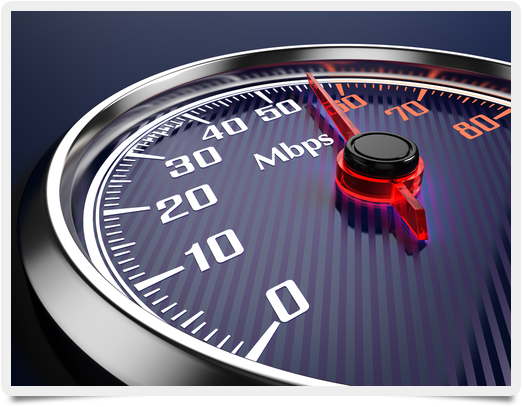
Internet Broadband Speed Test
So just how fast is your Broadband Connection ? I'm sure your Internet service provider gave you a nice big estimate and charged to accordingly. Surely they wouldn't fib about the speed your getting but why not check it out to make sure !

This Broadband test will instantly check the Ping speed and your upload and download speed.The one we focus on is the download speed this is the kinda universal gage for Broadband speed and is measured in Megabits Per Second (Mbps).So your service provided may have told you to expect for example 12-15 Mbps and now you can check if you are getting what your paying for.

How To Instantly Check Your Broadband Speed

Instantly Test The Speed Of Your Broadband

By Paul Crowe → Tuesday, February 3, 2015
Did you know you can set Google search results to open in a new window or tab by default ? No ? Either did I until I found it by accident while looking for something completely different.

This works just the same as on many websites that use a tag in links (target="_blank") to make them open in a new window so you don't leave their site.On Google by default your search results when clicked go straight through to the website in the same window.

Open Search Results Google New Window Default


1. Go To http://www.google.com/preferences This will bring you to your search options page.

2. If you scroll down the Google search options page the 4th setting you will see is "Where results open" tick the box beside this and make sure to click save as shown below.

Open Google search results new window default setting

That's it now Google search result links will always open in a new window. Moreover this setting will be used wherever your logged in to your Google account.

Let us know what you think in the comments below and we appreciate it if you share the post with your friends.

Open Google Search Results In New Window By Default

By Paul Crowe → Monday, February 2, 2015
Cloth Blogger Logo
On a blog I'm currently working on I wanted the labels section at the bottom of the post to be better used for navigation by visitors.The site is dedicated to documentary films so I thought having the word "labels" change to something like "Watch More Documentaries from" (this then followed by a list of labels) would better grab the attention of visitors.In my view with the word labels then the links to each it will not be looked upon as a form of navigation but rather as some kind of administrative section under each post.

OK so changing the word from Label to anything you want on Blogger is quiet easy so here's how it's done.

Change The Word 'Labels' On Blogger

How To Change The Word 'Labels' Below Posts On Blogger

By Paul Crowe → Sunday, January 25, 2015
Facebook have made many changes to the layout of profiles and pages over the years.When I first joined Facebook there was no newsfeed (I think I can remember a group was started to remove the newsfeed, people were against it), No Like pages just groups and very bare profiles.Now of course Facebook spent endless time and money making sure to have every detail of the design perfect, they don't want to be the next MySpace 200 million users today gone tomorrow.

So if you struggle to keep up with just what the dimensions are for all the images on your Facebook profile or Pages I have found a neat infographic that gives a run down of everything from your profile picture to how your photos thumbnails are sized and the size images you share on your timeline are displayed.The infographic is from Jon Loomer and we give a link to his site below the image.So here it is also show is the sizes images will be shown on Mobile devices like phones and tablets which would be a great help for those that run business pages.

Every Image Size For Facebook Profiles And Pages

By Paul Crowe → Monday, January 12, 2015
RAR File Logo
Compressed files can be housed in a number of formats with ZIP files being the most popular. RAR files are another popular compressed files format but while your computer will have a built in way to extract or unzip Zip files this is not the case for RAR files.

On our Free Blogger Template site we share templates using ZIP files, but many templates that are sent to us use  RAR. We we know our users are used to ZIP so we want to quickly extract the RAR in the quickest way.

I remember previously having a tool downloaded called RAR Frog but there is no need to download anything we now use a tool called B1 and it only takes seconds.With B1 you simply visit the website and follow a few steps then have the uncompressed file presented to you here are the steps :

Uncompress RAR Files

How To Open RAR Files Online No Download

By Paul Crowe → Tuesday, January 6, 2015
Notepad is one of the really handy tools and I find myself using it a lot to quickly store text and code but it has many other uses.In this post I will show you how you can even use notepad to convert text to audio.

Text To Audio Using Notepad

Quickly Use Notepad To Convert Text To Audio

By Paul Crowe → Monday, January 5, 2015