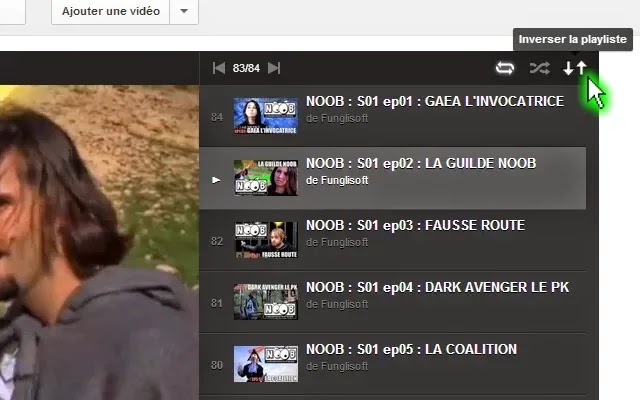
There have been a few times I have popped up a playlist on YouTube only to discover it's set to play backwards.This always happens on
auto populated YouTube playlists which is very frustrating.Even more frustrating is the fact we have no option on YouTube to reverse a playlist and make it play from back to front.In this post I have however a fix that will allow you to reverse the order any playlist on YouTube is played.
This fix I'm afraid has a few limitations, well one limitation really and that's that it will only work on the Google
Chrome browser. Not too much of an inconvenience Chrome is a great browser and can be quickly downloaded.
How To Invert A YouTube Playlist
1. Follow this link to the
Reverse YouTube Playlist Page in the Chrome Store.
2. Click the download button in the top right to install.
3. Now when you open a playlist in YouTube you will see two arrows in the top right beside the autoplay and random buttons.Click the arrows to reverse the order.
A great add-on for Chrome although it is a pity YouTube have not built in this option for this especially with all auto populated playlists playing from back to front.Let us know what you think in the comments.